
MyLO - My Learning Online
Allowing Re-Submissions on Assignments
You can allow re-submissions on an assignment via a number of settings. This will be dependant on your original assignment set-up.
Allowing for extensions is covered in the companion guide Setting Extensions on Assignments.
Assignment Folders page

Select Assignments from the Assessments menu.
Select the assignment you wish to assess.
Delete the original submission method.
This method is if you have only allowed one submission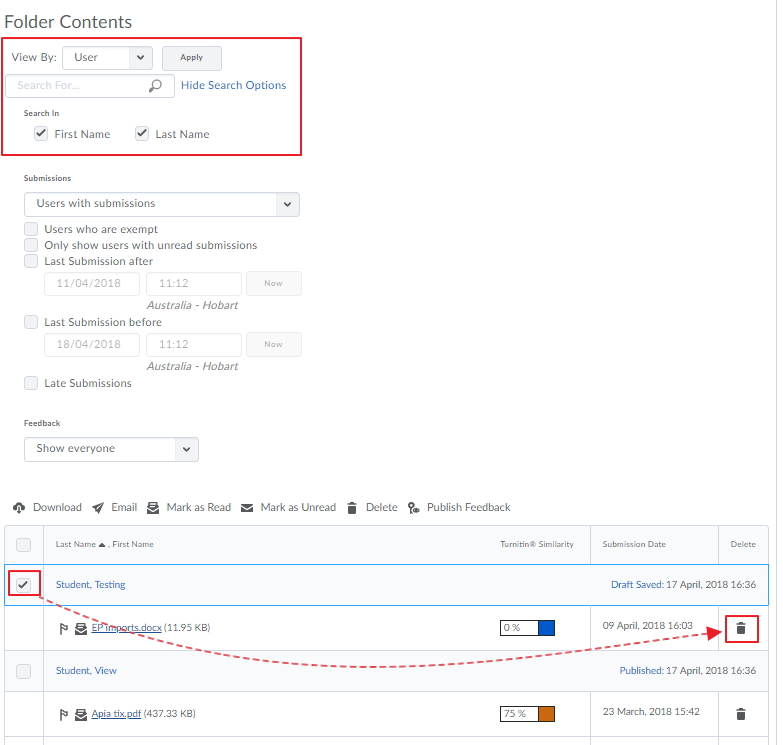
By default it will only show users who have submitted. use the Submissions selector to change this to. Select one or more submissions from the list by ticking the check boxes Click the rubbish bin (delete) icon you will be asked to confirm by clicking yes.
The student's submissions have now been deleted, and they can re-submit according to the original restrictions set
Note: You can restore a deleted submission if required.
Allow A Further Submission - if the end date has been reached
Edit your assignment and go to the restrictions tab. Press on the option to Add Users to Special Access. Make sure that the top option is selected" Allow users with special access to submit files outside the normal availability dates for this folder". 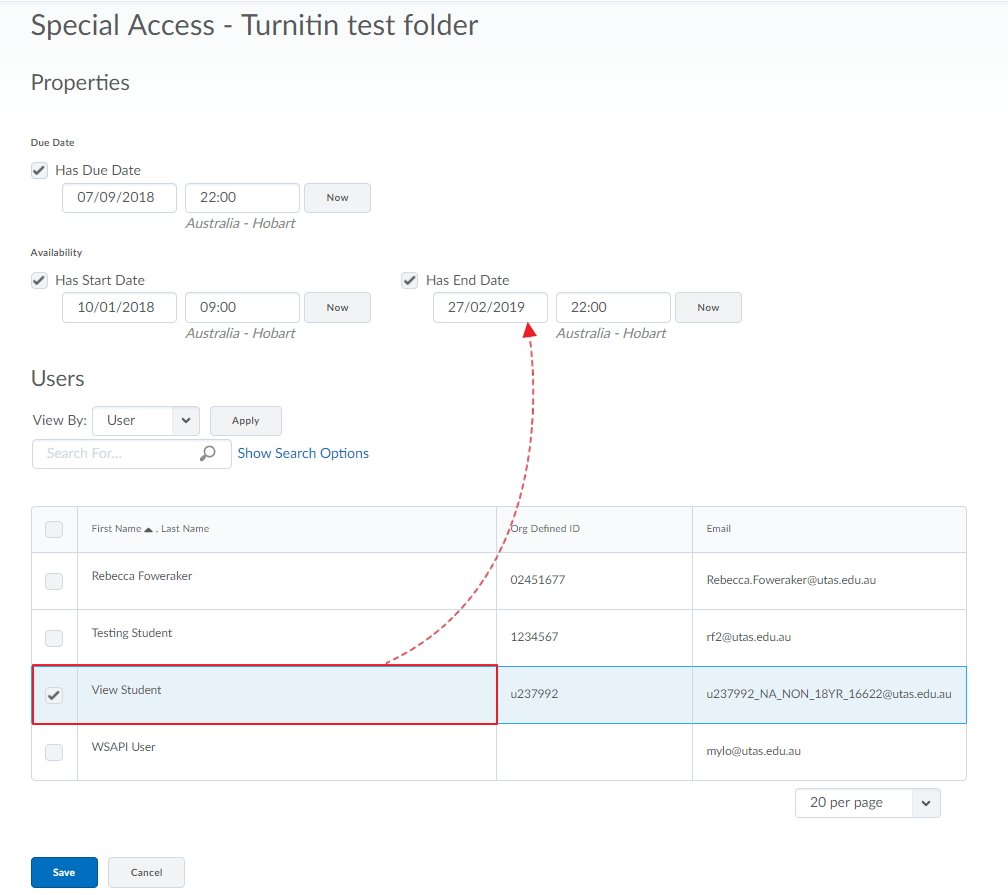
Search for your user and select their new due dates and press Save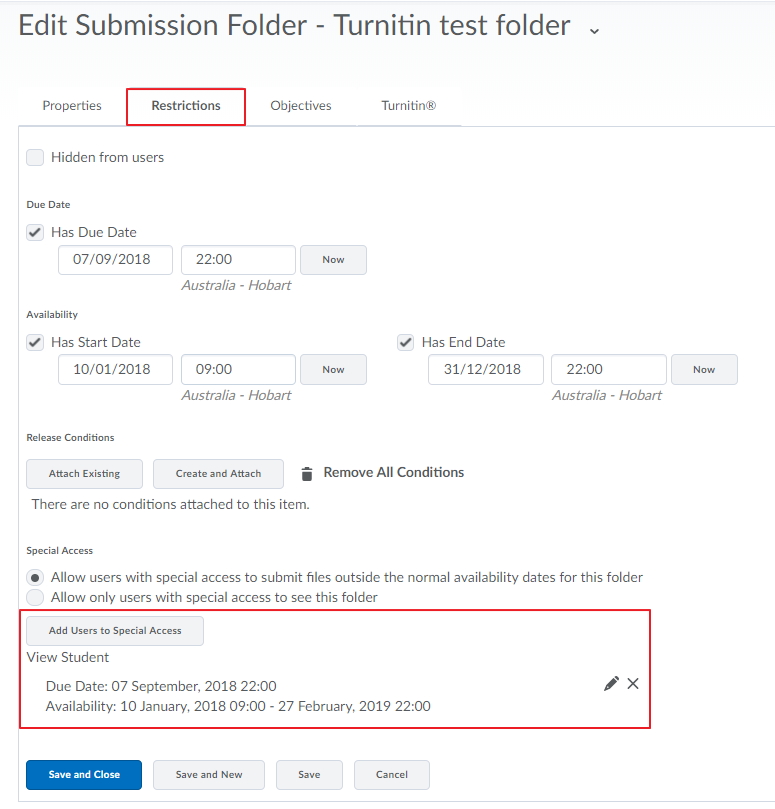
Now on the restrictions tab you can see that the user has a new Due date for their assessment.