
MyLO - My Learning Online
Padlet Sandbox
What is Padlet Sandbox?
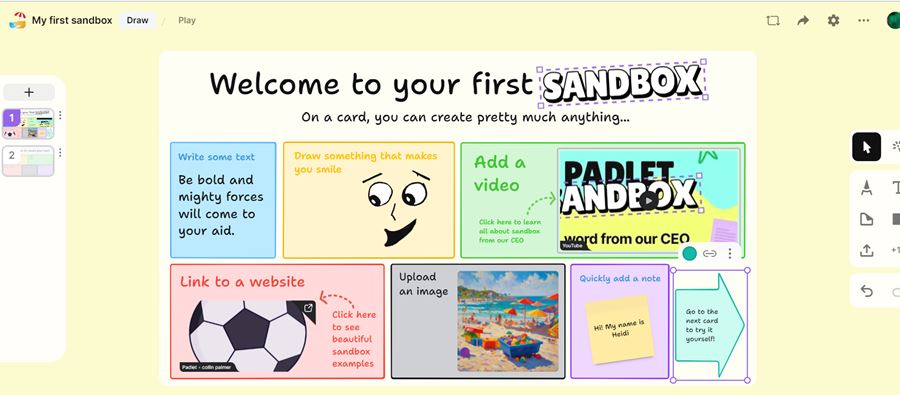
Padlet Sandbox is a collaborative whiteboard.
When you start a Sandbox, you are presented with a blank card. On this card, you can add drawings, record videos and upload files. You can invite other people to do the same. To make things more interesting, you can add more cards to your Sandbox, draw and collaborate on them, and play them on a slide-show. If you want to get really creative, you can add interactivity to your Sandbox using hyper-links.
How can I access Padlet Sandbox?
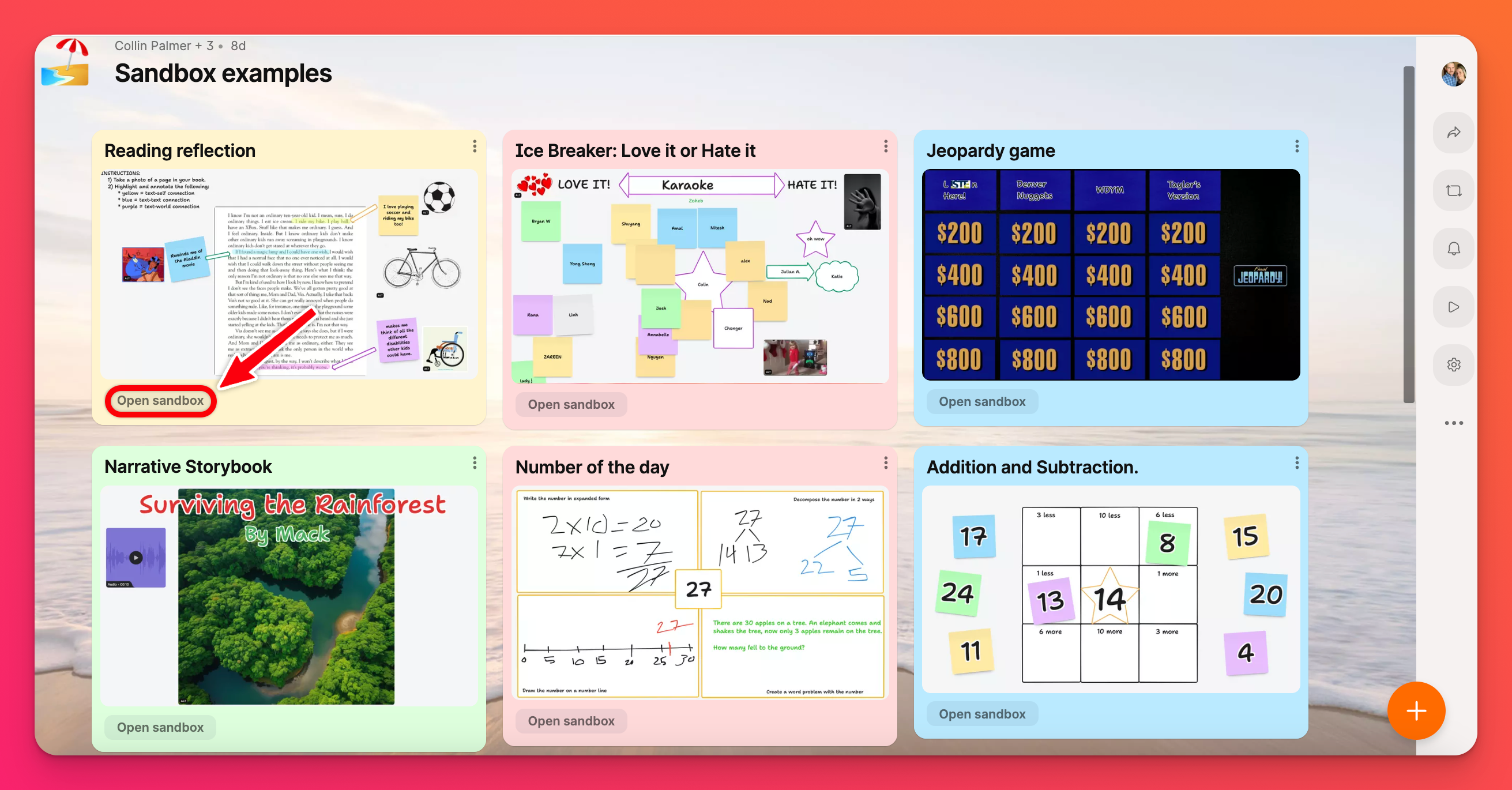
If you want to explore the possibilities of Padlet Sandbox, check out some examples!
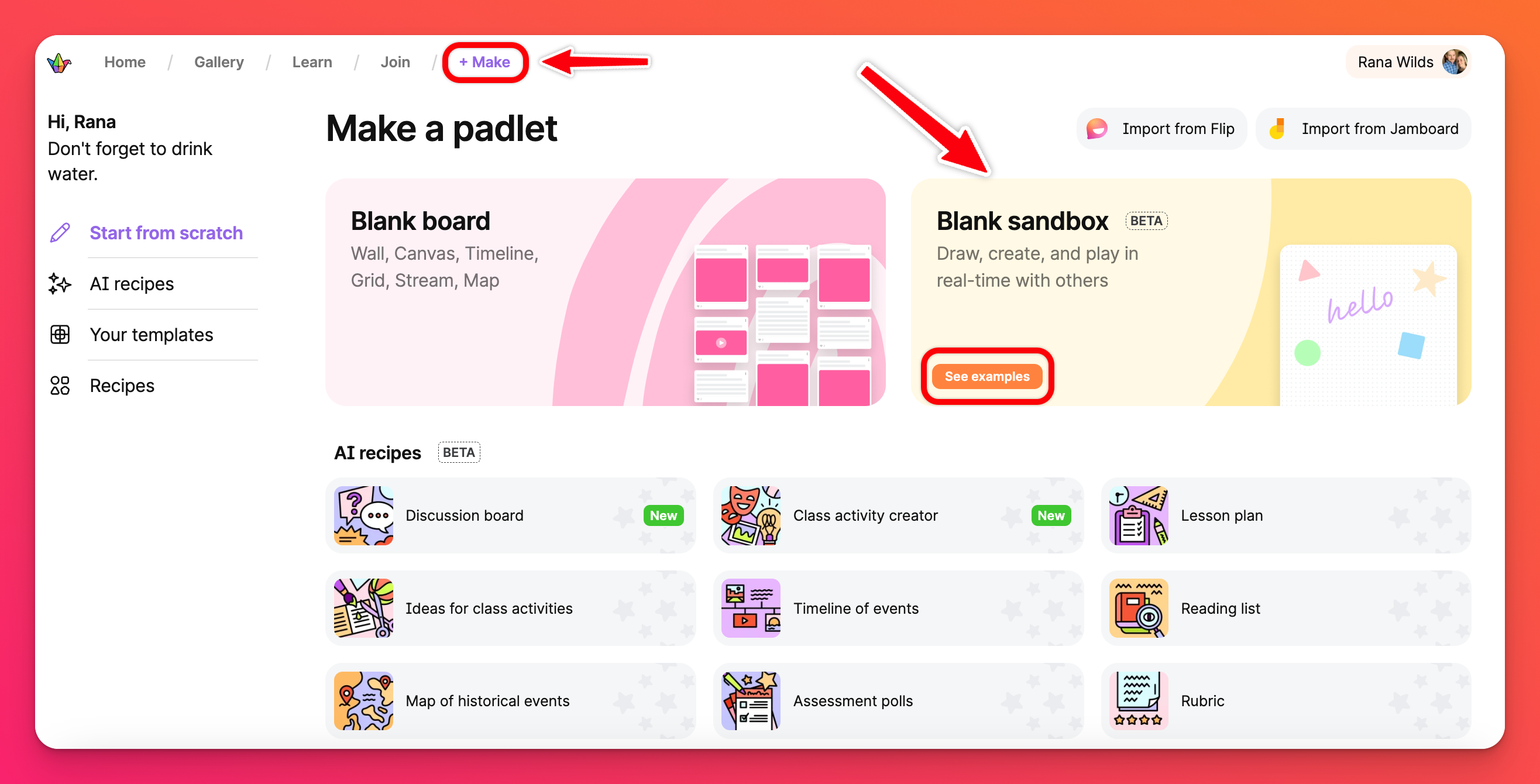
Click the + Make button in the header at the top of your dashboard. Next, click See examples in the Blank sandbox area.
Here, you will see a handful of example Sandboxes. Click on the picture to see a picture of the Sandbox or click on Open sandbox (at the bottom of one of the examples) to reveal the interactive Sandbox.
Create a Sandbox
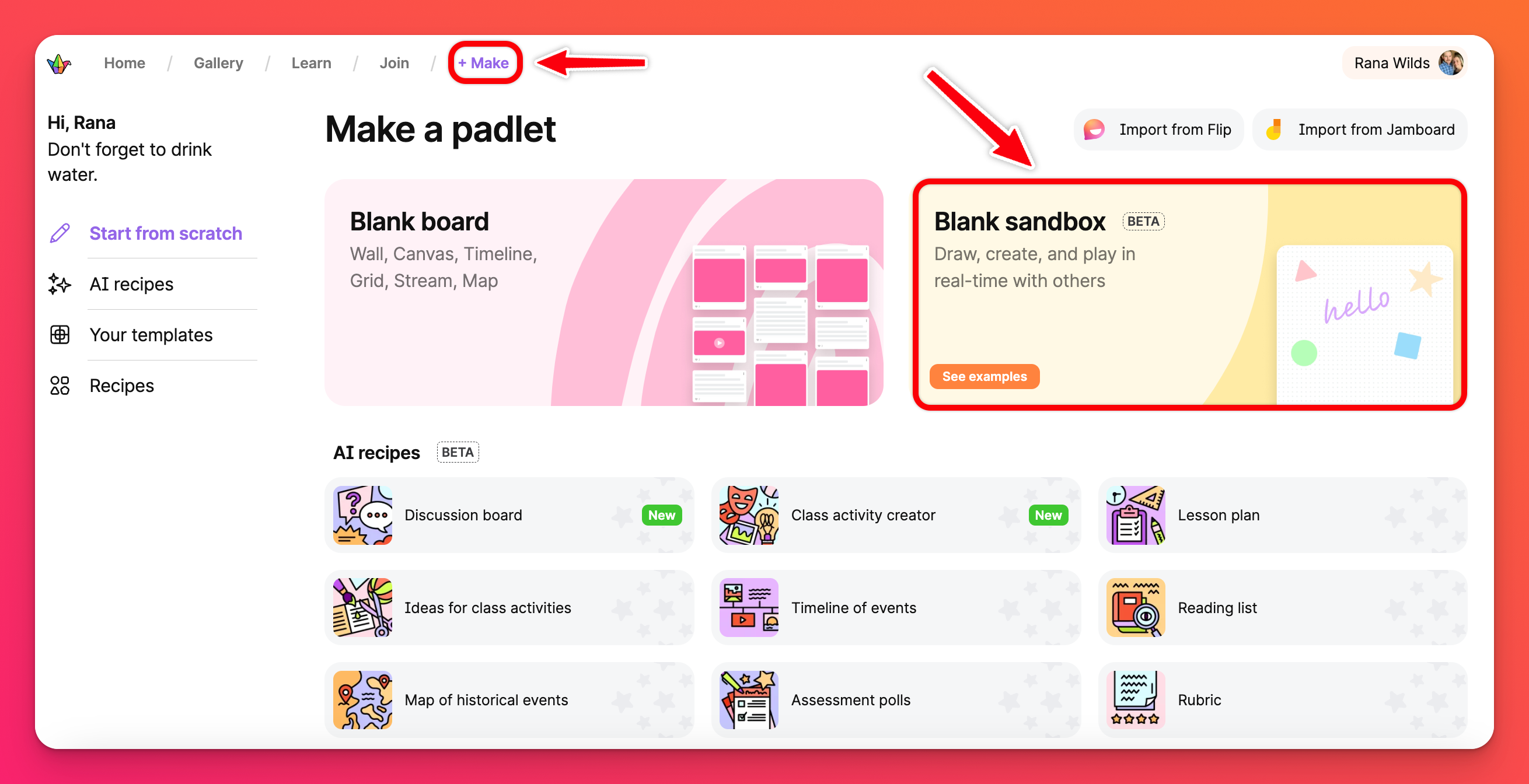
If you're ready to create your own Sandbox, click the + Make button in the header at the top of your dashboard and click on Blank sandbox.
More information on Sandbox tools that can be used can be found here: https://padlet.help/l/en/article/whxefq76dj-sandbox-tools