
MyLO - My Learning Online
Visual &Sound Effects for Padlet Sandboxes
You can add special effects to your sandbox that trigger when you click something.
Adding special effects to your sandbox is straightforward:
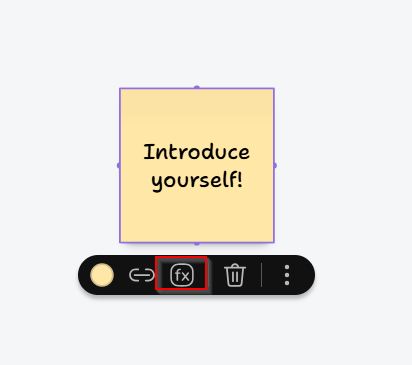
- Add an object to your sandbox
- Click the object and select "fx"
- Choose from 6 visual effects and 181 sound effects
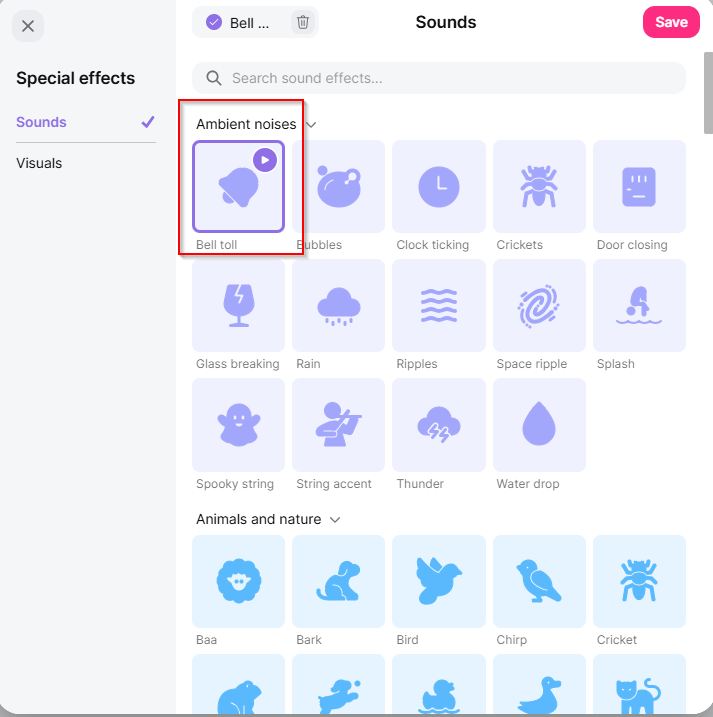
When viewed in play mode, clicking the object will trigger your chosen effects.
Press Play mode in either additional settings or next to the title of the sandbox. An example is below:
Good to know
- Each object can have one visual effect and one sound effect.
- Effects only trigger in play mode.
- Like other sandbox tools, you can disable effects if you don't want contributors to access them.