
MyLO - My Learning Online
Quizzes - Restore quiz attempts in the Quiz Attempt log
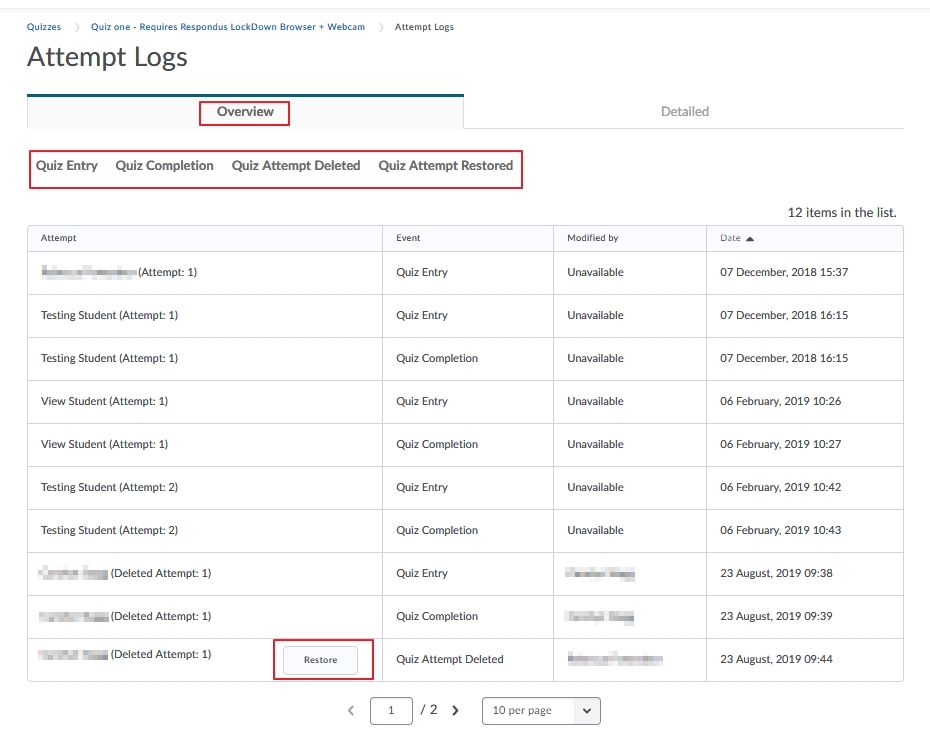
Lecturers can now restore deleted quiz attempts for students from within a quiz using the new Quiz Attempt log. The New Quiz Attempt log tracks quiz attempt submissions per user, in both an overview and detailed set of logs.
The following actions are captured in the Overview:
- Attempt Started
- Attempt Submitted
- Attempt Deleted
- Attempt Restored
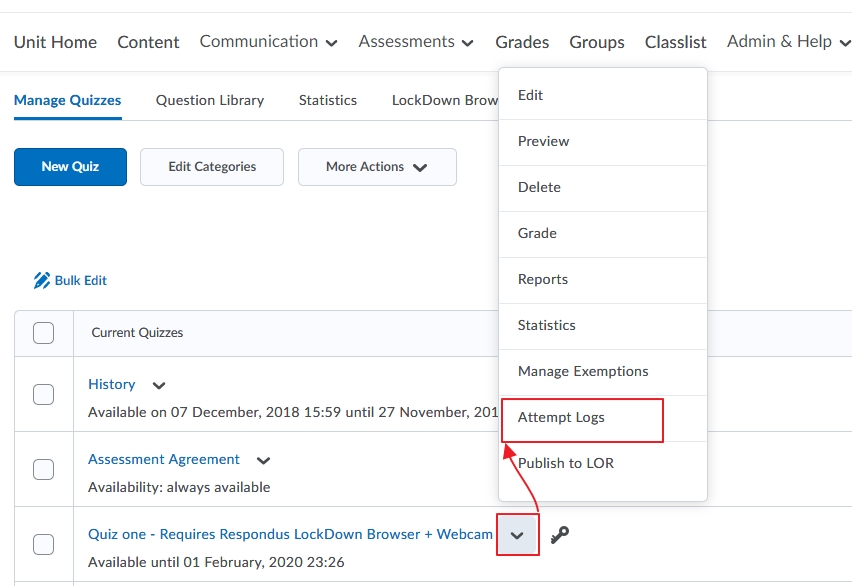
To access your Quiz Attempt Logs go to Assessments / Quizzes/ Select Attempt Logs
The Restore button appears when a quiz attempt is deleted for a user.
The Detailed Quiz Log captures the following actions:
- Quiz Entry and re-entry
- Response Save time
- Page Movement time
- Quiz confirmation screen / completion