MyLO - My Learning Online
Group Assignments vs Group Restrictions on an Assignment
This guide will go through the steps of creating a group assignment and look at the difference between creating a group assignment versus putting a group restriction on an individual assignment.
Group Assignments:
Group assignments allow you to have one submission per group. Any group member can submit and view files for a group assignment submission folder. When evaluating the group, you give a grade and feedback for the whole group - the grade and feedback is given to each member of the group.
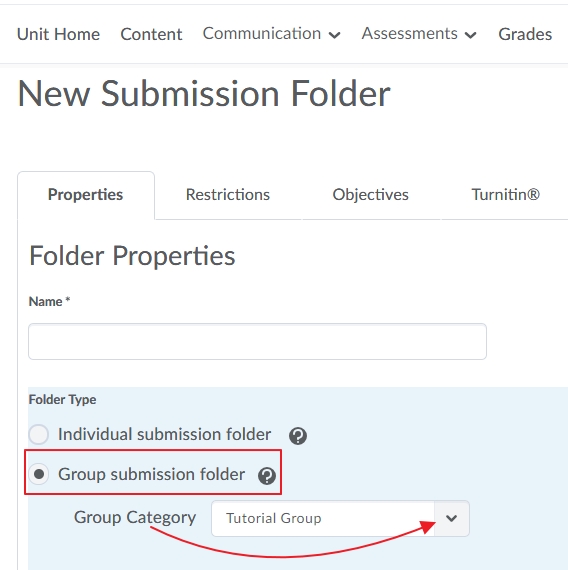
Create your assignment as per instructions found in this guide: Creating an Assignment Folder, however choose the option to create a Group assignment folder instead of an Individual folder. Once you have chosen this option select the Group Category you want associated for this assessment.
Once created it will have a Group Icon next to the folder name: 
View your submissions and evaluate and mark as per normal.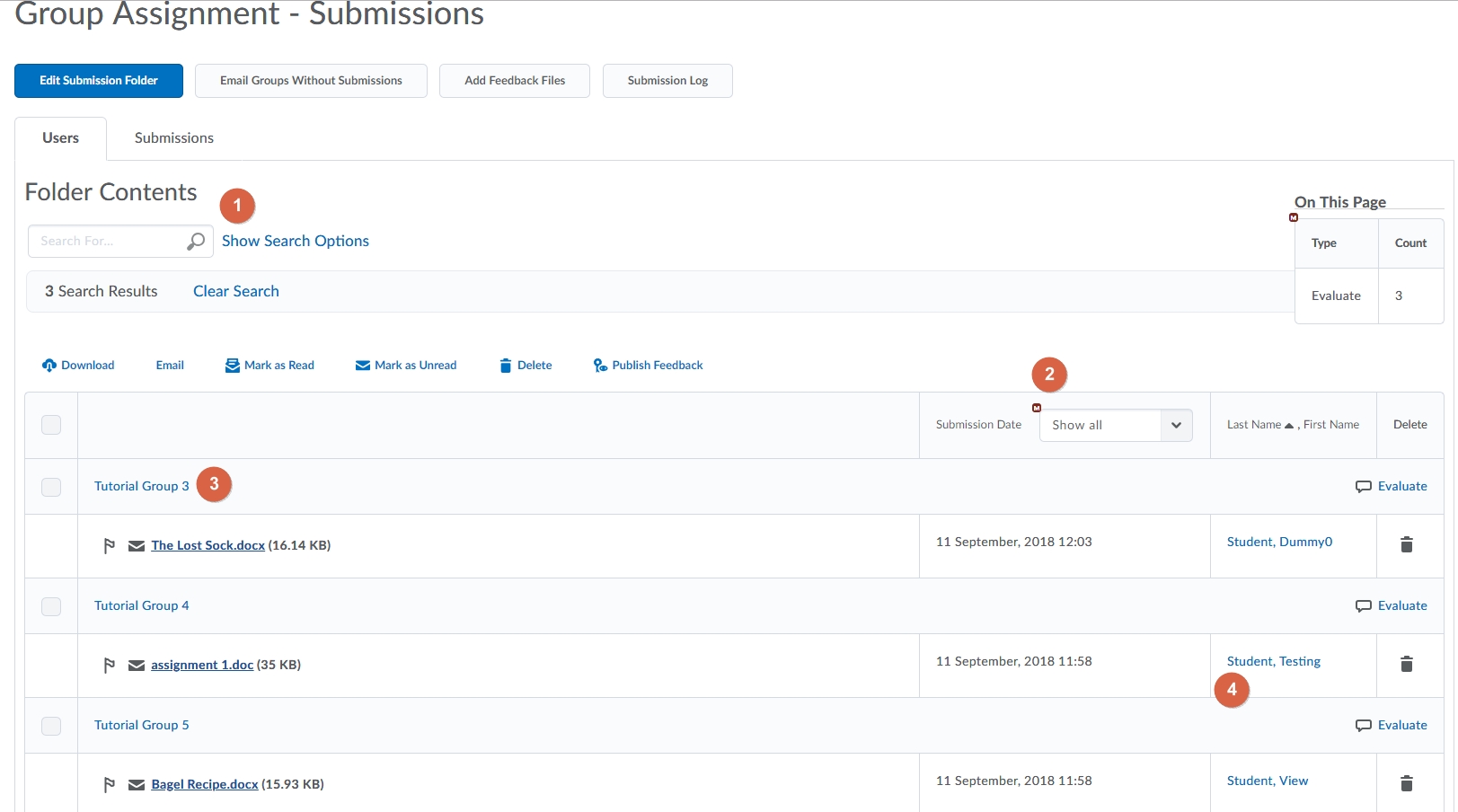
- The default is to show Submitted groups. Change this to all groups if you want to view all groups by pressing Show Search Options.
- This column shows the Submission date. If using MyLO Mate you can change your submission views from here
- This is the Group name
- Who submitted the file and when. Any user in the group can submit a file.
The grade and feedback given will go to each student in the group.
Group Restrictions on Assignments:
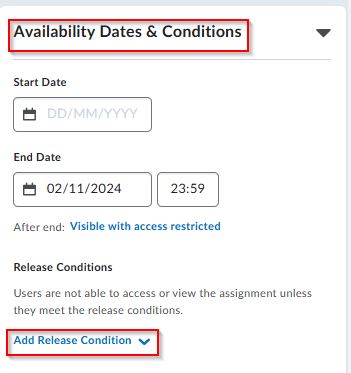
If you want to create an assignment but restrict it to a specific group- such as all Launceston students, or all External students, then you do this by creating an assignment following the steps as shown in this guide: Creating an Assignment Folder. You then need to add a release condition so that only the group of students selected will see the assignment. Edit the assignment and open the Availablity Dates & Conditions and select Add Release Condition:
Select to Create a New release condition.
Choose Class-list/ Group Enrolment and select the Group you want to have access then press Create.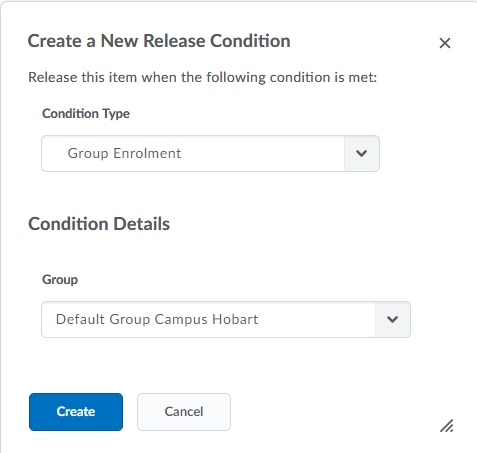
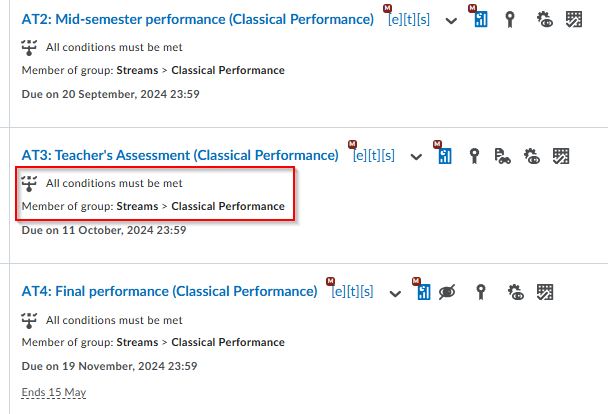
All users that are enrolled in that group will see the assignment folder and be able to upload their assessments as per normal. In the case of this restriction- all members of the Classical Performance Stream will be able to see and submit to this folder.
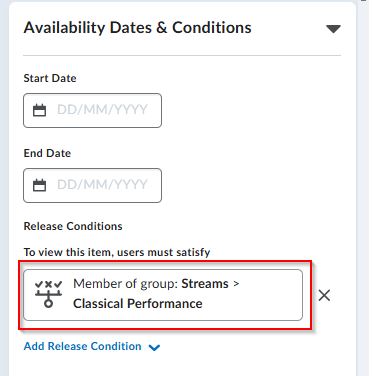
This can also be seen within the assignment list itself: