
Our university is committed to supporting both individual and group study by providing bookable spaces in our libraries. This guide provides all the information you need to book study spaces at the university libraries. Whether you prefer to plan ahead or need a spot on the fly, we've got you covered.
In this page, you'll find details on how to book a study space in advance or secure a room on-the-spot. Our aim is to make your study sessions as productive and stress-free as possible. Read on to learn more about the booking options available to you.
Some of our library study spaces are booked using your Outlook Calendar. Others use a dedicated library system. Find your preferred location in the list below to start your booking. Instructions are provided on each page.
Bookable via your Outlook calendar
Bookable using the Library booking system
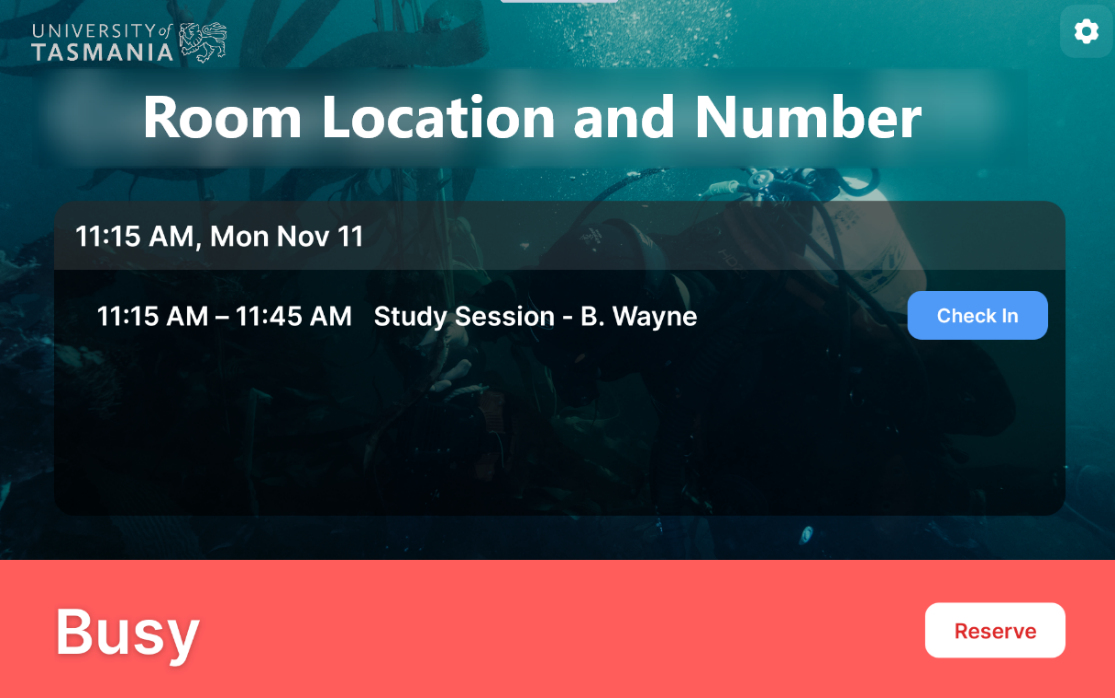
Tablets outside a study room in Inveresk and Morris Miller Libraries also allow you to book a room ‘on the spot’ via the tablet. To book a study session:
- Click Reserve on the panel home screen
- Slide the blue markers on the left to choose the length of your meeting
- (Recommended) Enter a meeting name in the “New Meeting” field
- Click Reserve
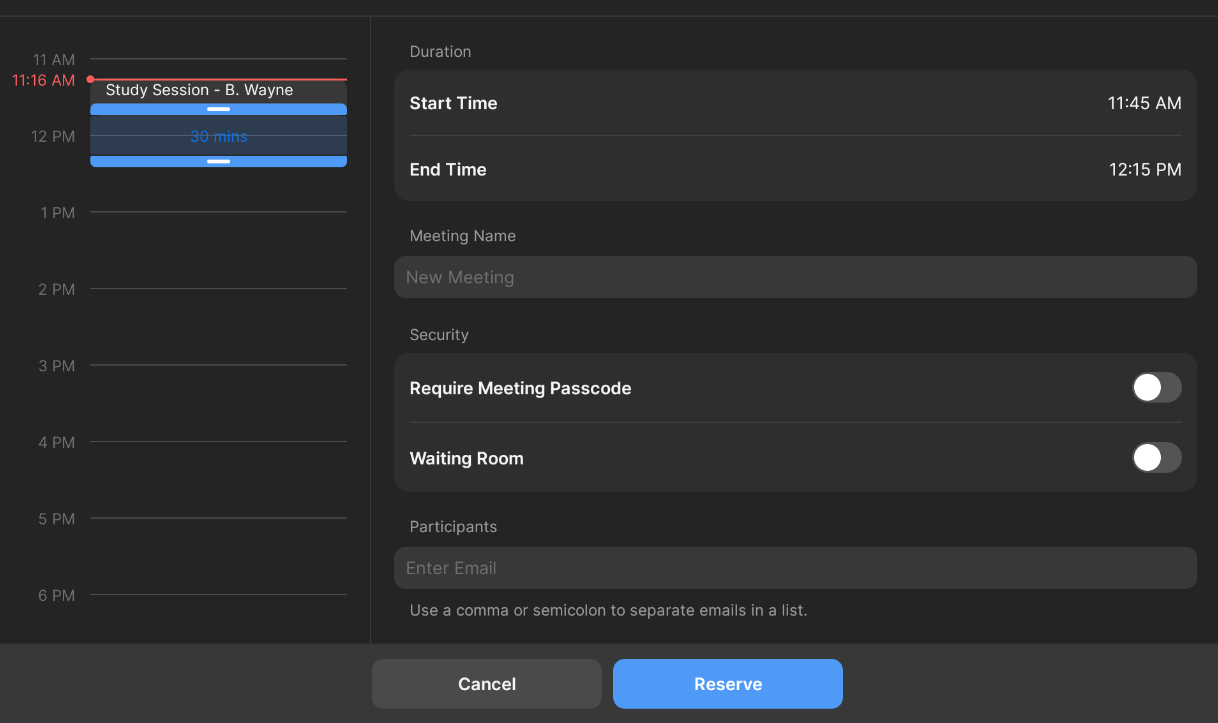
Your booking will now be shown on the panel home screen, on the in-room panel, and on the meeting room screen.
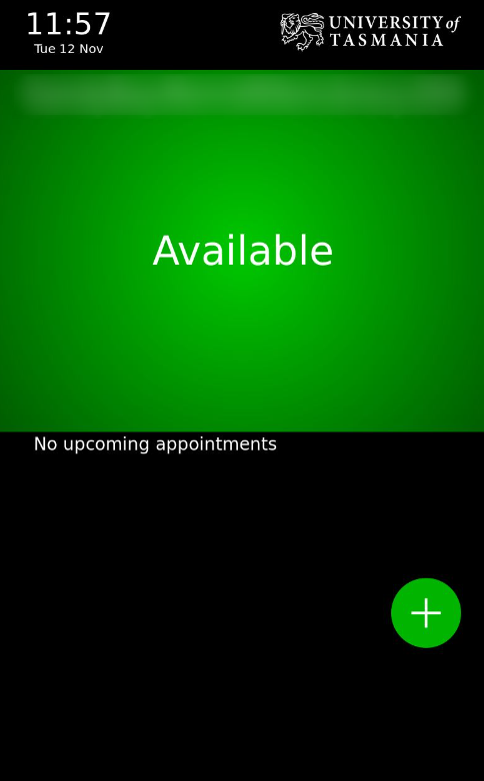
Tablets outside a study room in the Cradle Coast Library also allow you to book a room ‘on the spot’ via the tablet. To book a study session:
- Click + at the bottom-right of the touch panel outside the room.
- Update to the length of time required and select Book, or select More Options
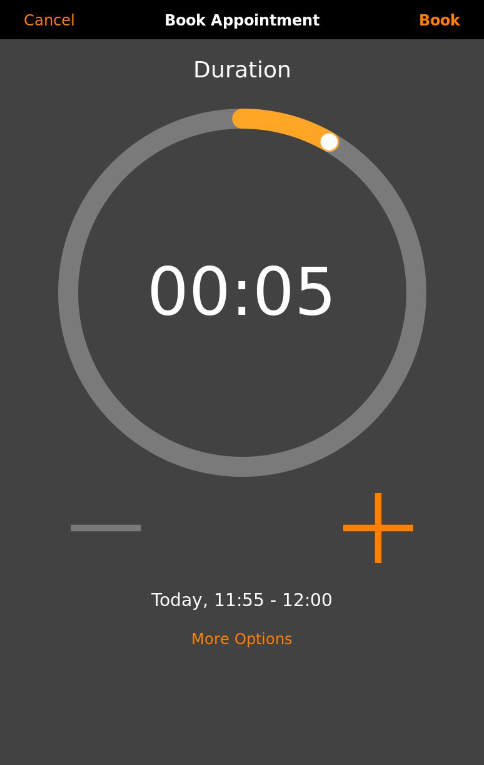
- In the More Options screen, add a booking title, and select the required day and time, then select Book.
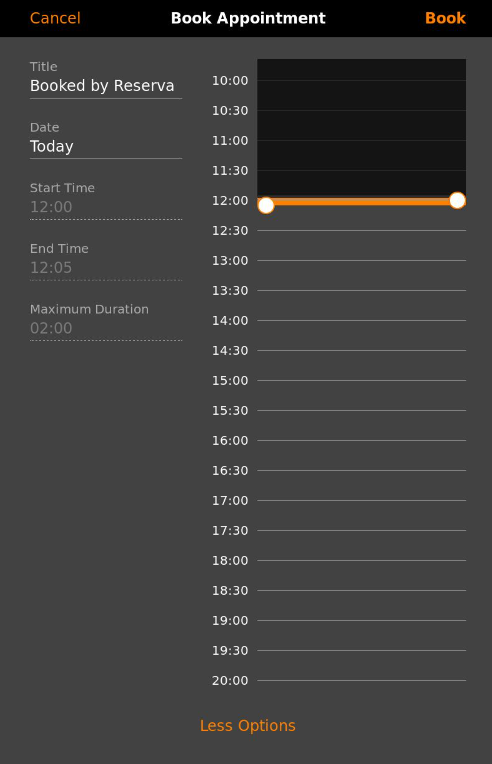
Your booking will now be shown on the panel home screen, on the in-room panel, and on the meeting room screen.
